Inclusion starts when accessibility feels natural and intuitive.

Starting with people


Accessibility takes many forms

Every patron is different. So is the library experience they need.  From how people see and move, to the language they speak and the hours they can visit, an inclusive library experience starts by understanding the people who use them.

red-icon-visibility

Visual access

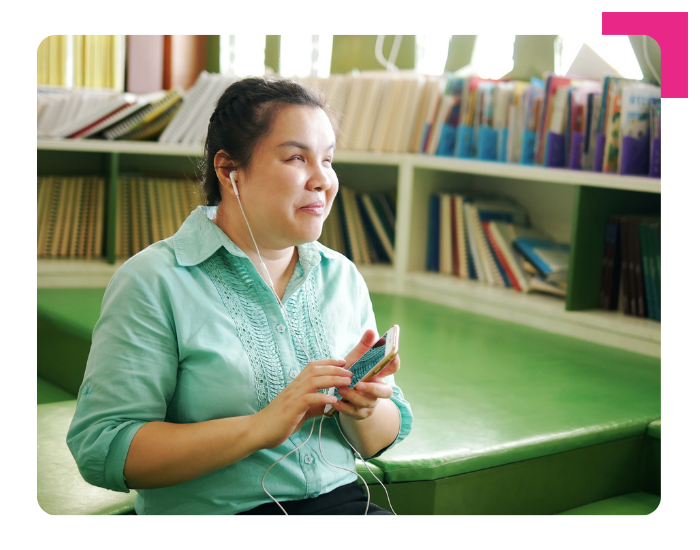
Audio-guided prompts, high-contrast displays, tactile keypads, and private headphone audio support a comfortable, confident experience at the kiosk for every patron.

red-icon-accessible

Physical access

Height-adjustable setups, reach-optimized layouts, and different mounting options mean patrons can interact comfortably (seated or standing), whatever their mobility needs.

red-icon-cognition

Cognitive clarity

Guided workflows, clear visual hierarchy, and consistent confirmations at every stage reduce the effort of self-service. Patrons can move through each step with confidence.

red-icon-hearing

Hearing access

Clear on-screen confirmations, visual progress cues, and multi-sensory feedback ensure patrons always know what is happening. Visual and text feedback work alongside audio at every step.

red-icon-translate

Language Access

Language options, consistent interaction patterns and icon-supported navigation that works alongside text. Language accessibility is a core part of making every patron feel welcome.

red-icon-wifi

Flexible and remote access

Self-service on personal devices, contactless borrowing, and access outside traditional hours means the library works around patrons' schedules.
Making it real


Accessibility and inclusion, in practice

Inclusive library experiences are shaped by the choices libraries make. In how they design spaces, select technology, and configure services. As those choices come together, every patron can engage more fully and independently.
 
Accessibility through independence, flexibility, and customization can help libraries meet the needs of every patron, creating experiences where everyone feels confident, comfortable, and in control.

Accessibility through INDEPENDENCE

Patrons should be able to visit the library and interact on their own terms. Bibliotheca's selfCheck kiosks, cloudCheck mobile, smartShelf borrow, and AudioNav accessories help libraries make that a reality for every patron, whatever their needs.

 LEARN MORE

Accessibility through FLEXIBILITY

Patrons have different routines, and access should fit around their lives, beyond staffed hours. Bibliotheca's open+ access, remoteLockers, and flex AMH help libraries stay open and accessible when and where patrons need them.
 

Accessibility through CUSTOMIZATION

Every patron interacts differently. Navigation and preferences should be easy to set and remembered every time. Bibliotheca's quickConnect interface, gives every patron the experience that works best for them.

LEARN MORE


Accessibility through independence

Every patron should be able to walk into the library, complete their visit, and leave on their own terms. For a wheelchair user at a selfCheck kiosk, a child returning a book, or someone navigating in their first language, that experience should feel natural and confident. Independence comes from intuitive interfaces, accessible hardware, and self-service that works for everyone from the start, meeting every patron where they want to be met.

Bibliotheca ecosystem is designed to make that possible, across every touchpoint in the library.

2026--selfcheck 3000

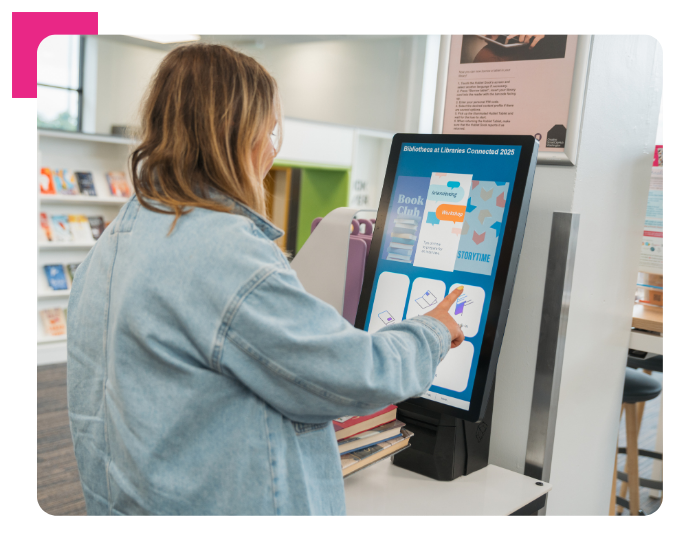
selfCheck kiosks selfCheck 3000 

Configurable self-service, built for every patron.

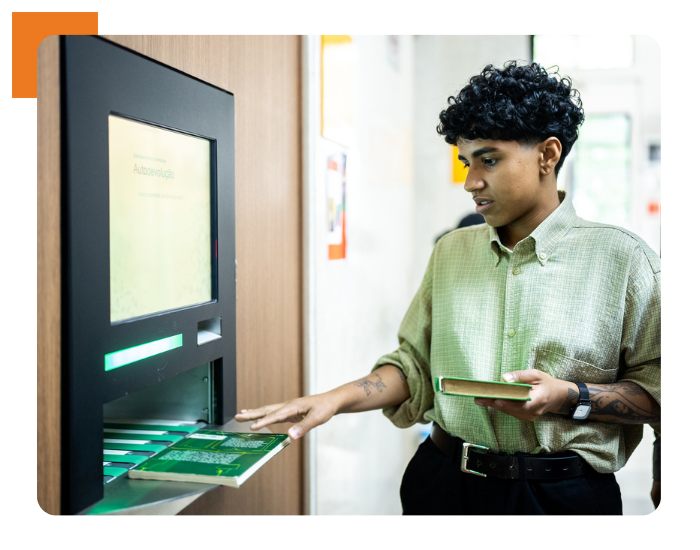
Modular and height-adjustable, with configurable components so libraries can tailor the setup to their space and patrons. The guided, intuitive checkout experience is independently certified for WCAG, EN ISO 301549, and BITV 2.0.

Powered by quickConnect for a customizable, multilingual interface. Compatible with AudioNav for tactile and audio navigation and Audio Jack for private audio guidance.

selfCheck kiosks selfCheck 2500  

Approachable self-service for spaces of every size. 

Compact and approachable, with an anti-glare screen, optimized viewing angle, and ADA/DDA-compliant placement. Designed for patrons of all ages and abilities in smaller spaces, with the full quickConnect interface built in.

Powered by quickConnect for a customizable, multilingual interface. Compatible with AudioNav for tactile and audio navigation.

2026--selfcheck 2500
2026--audiojack

ACCESSORY

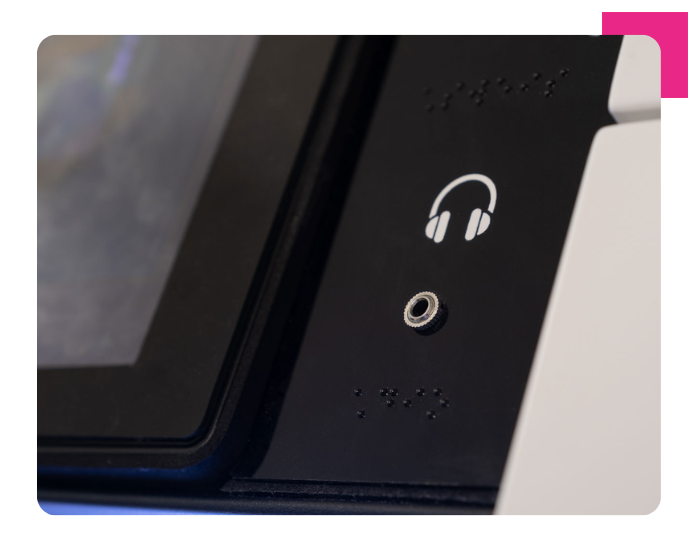
Audio Jack   

Private, comfortable audio guidance at any kiosk.

Private audio guidance via personal headsets, supporting a comfortable and discreet experience at any kiosk. Compatible with assistive listening technologies and text-to-speech.

selfcheck ACCESSORY

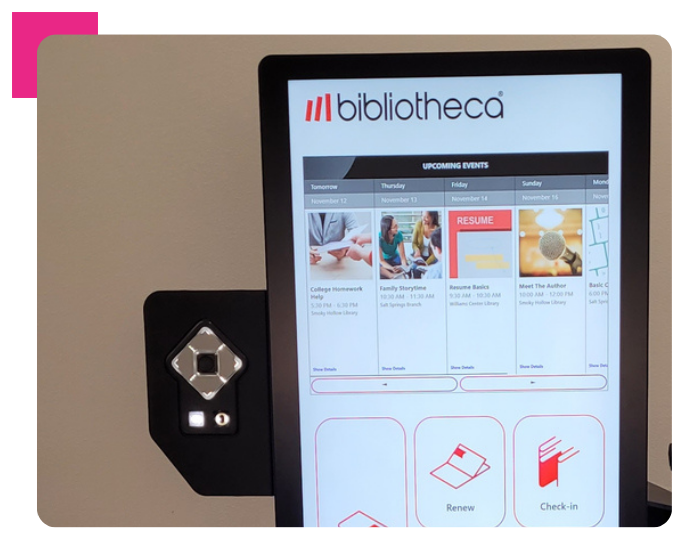
AudioNav™

Audio-guided navigation   

Guided audio prompts allow patrons to navigate the self-service experience without relying on the screen. The ADA-compliant tactile keypad and 3.5mm audio jack support a comfortable, independent experience for patrons with visual or motor impairments. Optional Braille keyboard for non-visual navigation

2026---audionav
2026--keyboard-1

selfcheck ACCESSORY

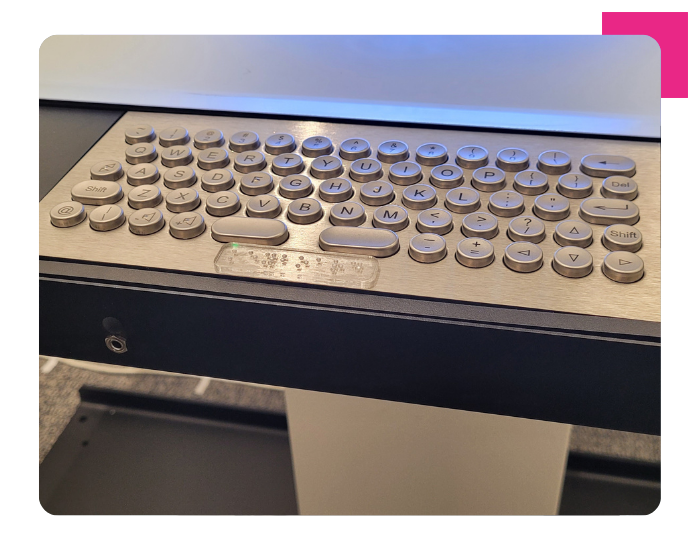
Keyboard  

Accessible digital input   

A physical keyboard provides an alternative interaction method for patrons who benefit from tactile input or prefer not to rely on touchscreen navigation. Designed to support accessible self-service, keyboard options enable comfortable and independent interaction across selfCheck kiosks.


selfService

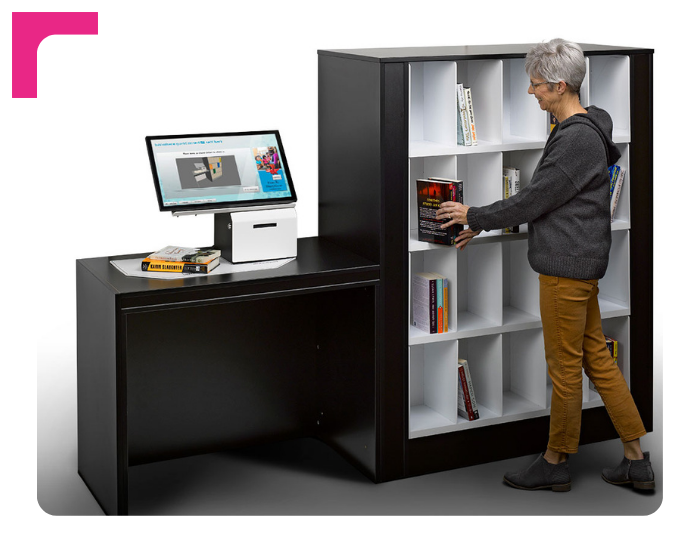
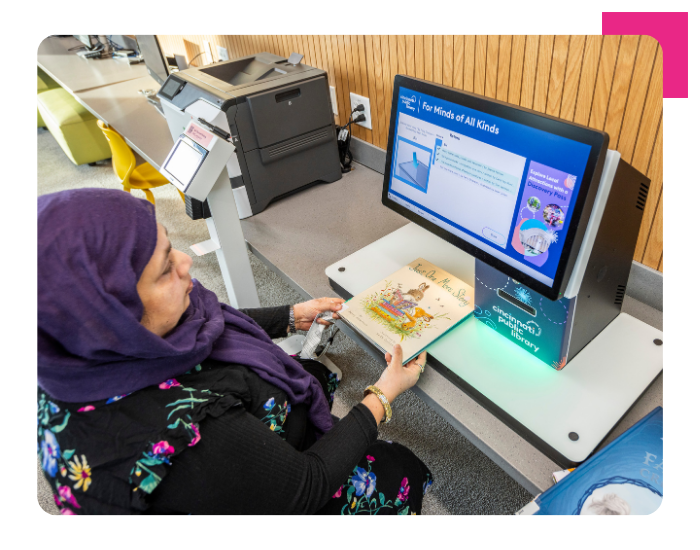
smartShelf borrow  

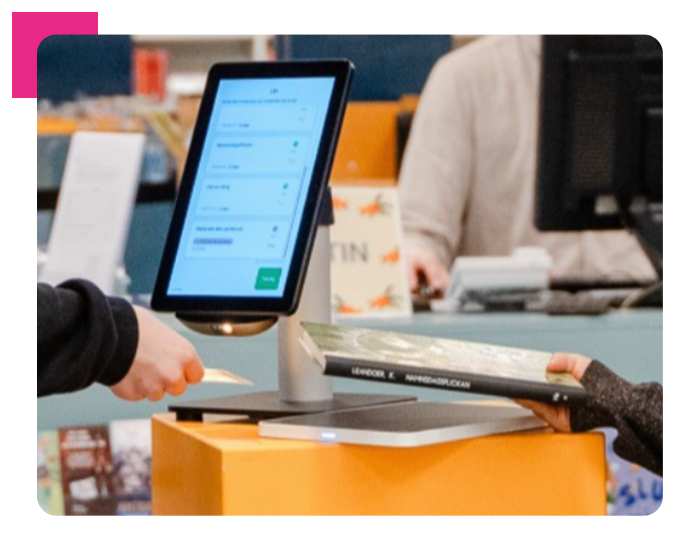
Browse, borrow, and return independently.

Patrons can return items simply by placing them on the shelf, browse recently returned titles, and borrow at their own pace. Real-time visual cues guide each step clearly, making the experience intuitive for every patron.

Powered by quickConnect for a customizable, multilingual interface. Compatible with AudioNav for tactile and audio navigation.

2026----smartShelf borrow
2026--cloudCheck mobile

Mobile

cloudCheck mobile   

Library experience on the patron's own device.

Full self-service on the patron's own device. Biometric login, simple interface, and full borrowing and account management wherever they are.

Mobile and tablet cloudCheck tablet  

Self-service borrowing, wherever the library needs to be.

Wireless and flexible, with a simple guided self-service experience. Extends borrowing to outreach locations, pop-ups, and non-traditional spaces at ADA/DDA-compliant heights.

2026-cloudChecktablet

Accessibility through flexibility 

A student arrives after closing time to pick up a hold. A family returns books on a Sunday morning.

Flexibility means the library works around real schedules, so access is there when patrons need it, wherever they are.

Access that fits real lives is access that works for everyone.

2026--open+access

Extended hours

open+ access     

Library open beyond the clock.

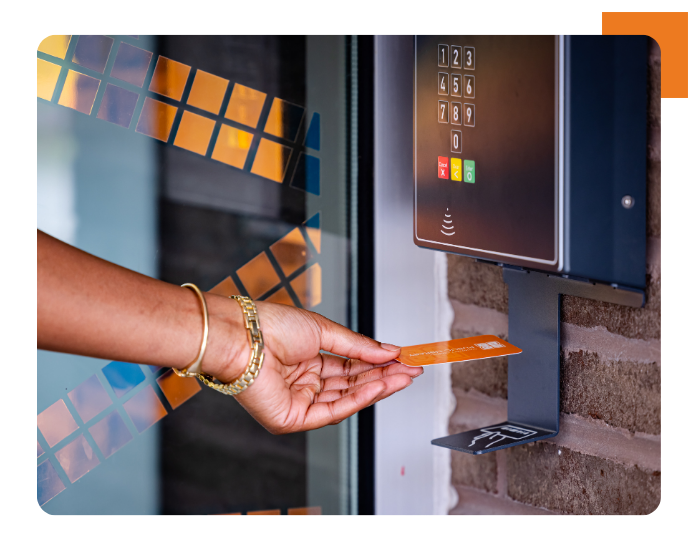
Designed to complement staffed hours, open+ extends secure library access beyond traditional opening times. Multi-language audio announcements, synchronized visual entry panel messages, and an inclusive entry experience support patrons with visual or cognitive impairments.

RETURNS

flexAMH  

Automated returns, any time of day or night.  

Automated returns, any time of day or night. Accessibility roadmap aligned with WCAG and EAA requirements. 

2026--flexAMH
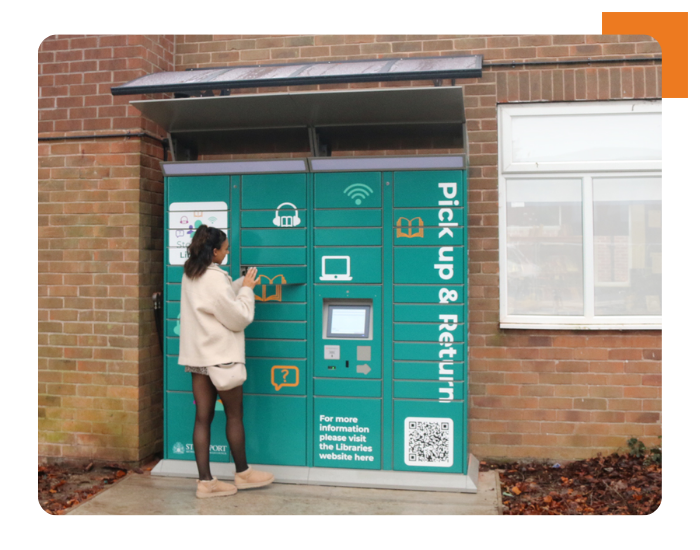
2026--remotelockeroutdoor

Pick-ups and Holds 

remoteLocker+       

Holds and returns, on the patron's own schedule.

Holds pickup and returns on the patron's own schedule,  available inside or outside the library, 24/7, and deployable across multiple locations. 

Powered by quickConnect for a customizable, multilingual interface. Compatible with AudioNav for tactile and audio navigation.


Accessibility through customization

One patron needs larger text. Another navigates by audio. A third switches the interface to their first language. Customization means every patron can choose what works best for them, naturally and intuitively, as part of the standard experience.

When the experience adapts to the user, inclusion follows naturally.

software

quickConnect

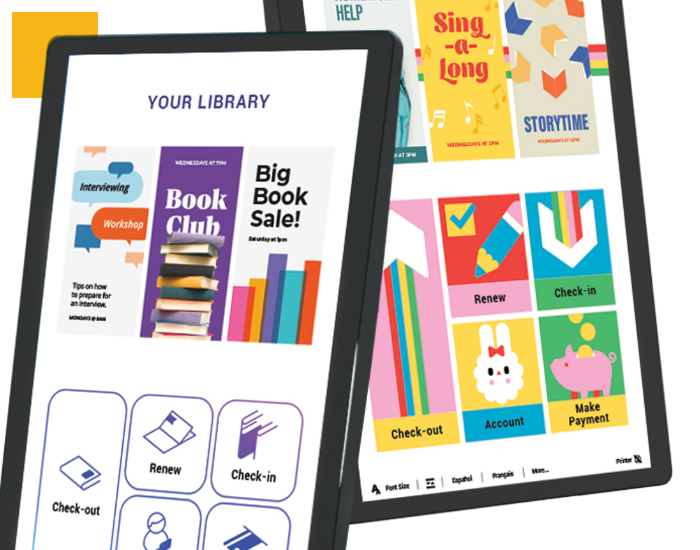
quickConnect is the accessibility interface powering selfCheck, smartShelf borrow, remoteLockers, and flex AMH. Its features are built in — not add-ons.

70+ languages supported
Configurable UI and appearance
Adjustable font sizes and high-contrast modes
Text-to-speech with private headphone mode
rememberMe saves patron preferences for future visits
Color-blind friendly design throughout
On-screen animations that guide patrons through each step
2026--quickconnect

Built into quickConnect:

rememberMe

Patrons can set their language and font size once. Next time they visit, the kiosk already knows. RememberMe saves individual preferences so every visit feels personal and familiar from the start.

Text-to-speech

Every on-screen prompt, confirmation, and instruction read aloud through personal headphones, allowing patrons to complete their full visit without relying on the screen.

High contrast mode

Clear, high-contrast visuals designed for patrons with low vision or light sensitivity. Adjustable font sizes and color-blind friendly design throughout. Interface works for every patron.

divider - 4 colours - 5 px

Are you a Bibliotheca customer?

 
You may already be more inclusive than you realize.


Talk to us about what you have.

Many libraries using Bibliotheca solutions are already delivering accessible, inclusive experiences.

There is often more built into your current technology than you may have had the chance to explore.

If your library uses selfCheck, smartShelf, remoteLockers, or open+, the accessibility features are likely already available to you. quickConnect's multi-language support, text-to-speech, high-contrast mode, and RememberMe are built in, ready to use.

Let's talk about what inclusion looks like in your library. 


Every community is different. So are the conversations about accessibility. Whether you are reviewing your approach, responding to new standards, or exploring what is possible, we are here to help.