
FAQ
selfCheck 2500™
Explore its features, benefits, and how it delivers efficient self-service—even in compact spaces.
For specific inquiries, feel free to contact our sales team.

FAQ
selfCheck 2500™
Explore its features, benefits, and how it delivers efficient self-service—even in compact spaces.
For specific inquiries, feel free to contact our sales team.
Hardware
What kind of screen does the selfCheck 2500 use?
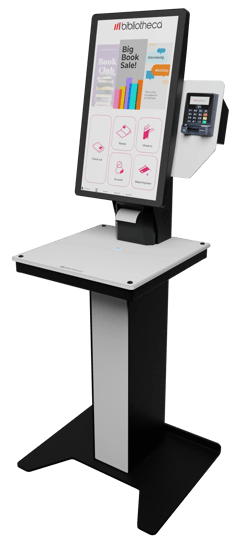
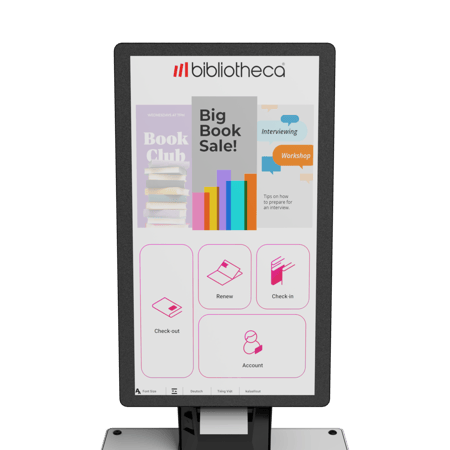
The selfCheck 2500 features a 21.5" anti-glare portrait screen with optimized viewing angles, ensuring visibility in a wide range of lighting conditions.
Is the selfCheck 2500 available in custom colors?
Custom colors are not available. The kiosk ships in a standard, neutral finish designed to blend with most library interiors. However, many libraries choose to apply branded vinyl wraps or decals to align the kiosk visually with their library identity.
How much space does the selfCheck 2500 require?
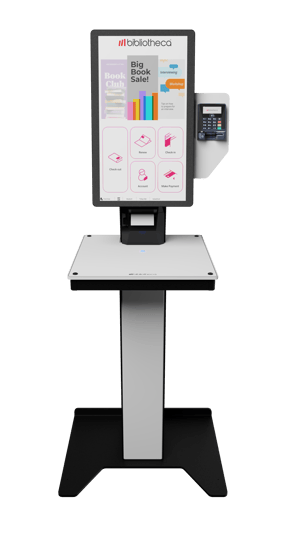
The full-height model has a compact footprint of 36.4” x 17.4” (925 mm x 442 mm), while the desktop version measures 16.3” x 17.4” (415 mm x 442 mm).
Can the kiosk be installed without a printer?
Yes. The selfCheck 2500 can be installed without a printer and configured to issue digital receipts via email or SMS.
Is there any functional difference between the free-standing and desktop versions?
No. Both configurations of the selfCheck 2500 provide the same features and performance. The only distinction is the base's physical design.
Software
Does the selfCheck 2500 support library branding?
Can the selfCheck 2500 provide wayfinding directions?
Are library donations supported?
Yes. quickConnect allows patrons to make contributions directly from the kiosk. Transactions are tracked and reported via libraryConnect LINK.
Can patrons receive SMS receipts?
Yes. SMS receipts are available with an annual license and offer an eco-friendly alternative to paper. They’re also easier to retrieve than printed copies.
Which Windows operating system is supported by the selfCheck 2500?
The selfCheck 2500 will support Windows 11.
Maintenance
What kind of screen does the selfCheck 2500 use?
The selfCheck 2500 features a 21.5" anti-glare portrait screen with optimized viewing angles, ensuring visibility in a wide range of lighting conditions.
Is the selfCheck 2500 available in custom colors?
Custom colors are not available. The kiosk ships in a standard, neutral finish designed to blend with most library interiors. However, many libraries choose to apply branded vinyl wraps or decals to align the kiosk visually with their library identity.
How much space does the selfCheck 2500 require?
The full-height model has a compact footprint of 36.4” x 17.4” (925 mm x 442 mm), while the desktop version measures 16.3” x 17.4” (415 mm x 442 mm).
Can the kiosk be installed without a printer?
Yes. The selfCheck 2500 can be installed without a printer and configured to issue digital receipts via email or SMS.
Is there any functional difference between the free-standing and desktop versions?
No. Both configurations of the selfCheck 2500 provide the same features and performance. The only distinction is the base's physical design.
Compatibility
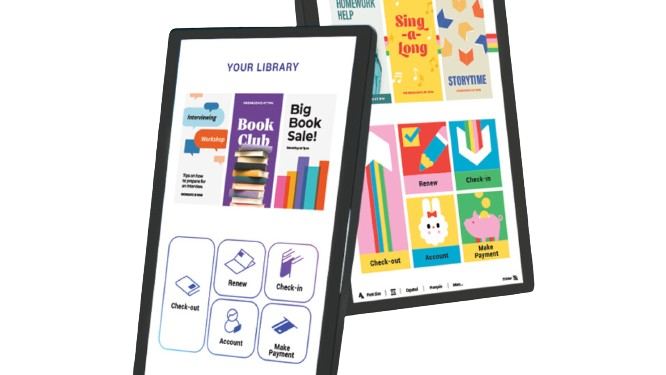
Does the selfCheck 2500 support library branding?
Can the selfCheck 2500 provide wayfinding directions?
Are library donations supported?
Yes. quickConnect allows patrons to make contributions directly from the kiosk. Transactions are tracked and reported via libraryConnect LINK.
Can patrons receive SMS receipts?
Yes. SMS receipts are available with an annual license and offer an eco-friendly alternative to paper. They’re also easier to retrieve than printed copies.
Which Windows operating system is supported by the selfCheck 2500?
The selfCheck 2500 will support Windows 11.
Not sure which solution is right for your library?
We're here to help you find the perfect fit and support your upgrade journey every step of the way.
Contact us
